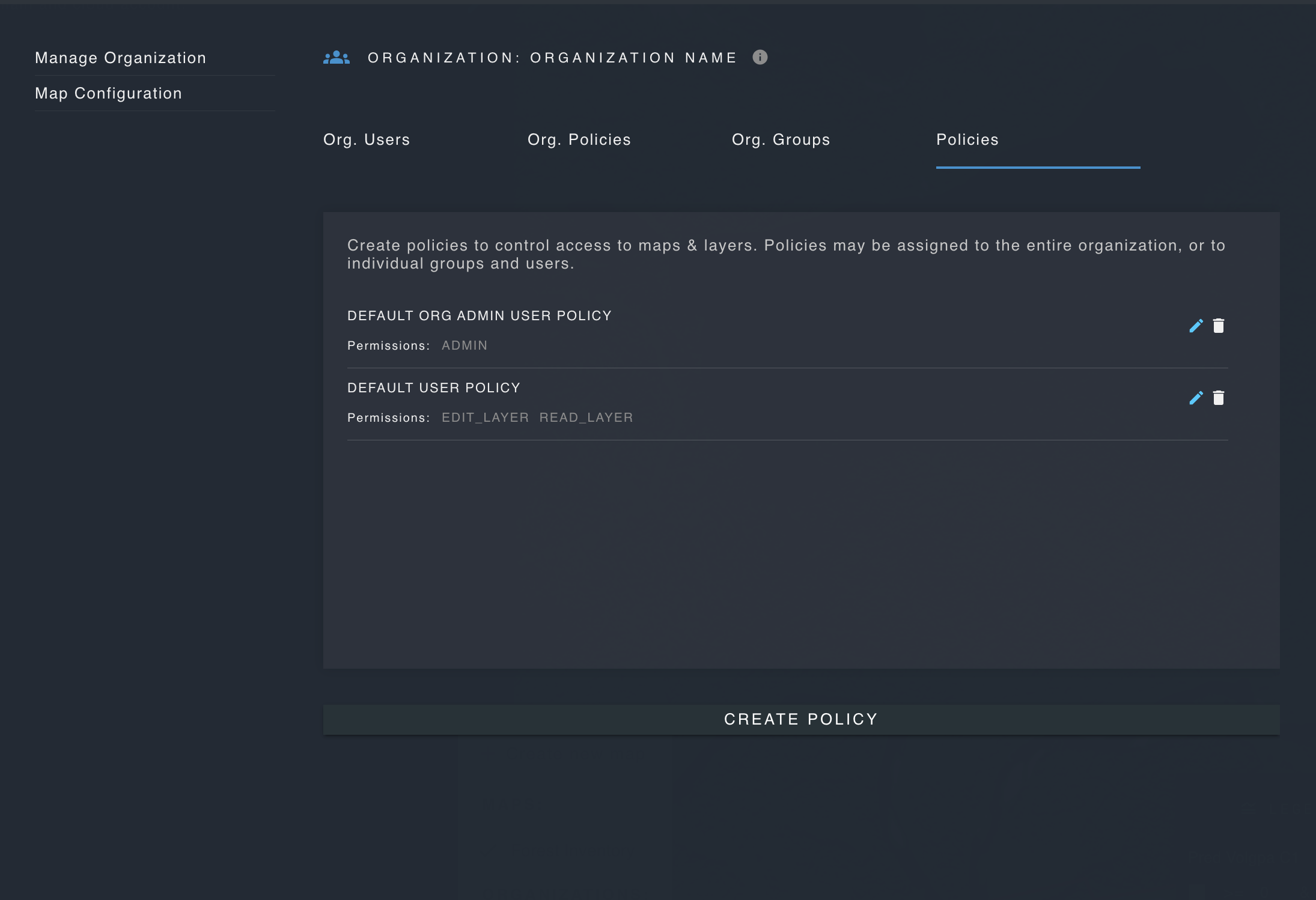
Policies & Permissions
These features are only available for users with admin permissions.
In order to control access to resources such as maps and layers, admin users can create policies and permissions, and assign them to users, groups or organizations.
A policy is a group of one or more permissions.
A permission may be applied to a specific resource, such as applying READ_LAYER to a specific layer, so that the permission only allows a user to view that one layer.
A permission may also be applied without specifying a resource. This would allow a user to perform the action in question on all relevant resources, such as viewing all layers which belong to the organization.
Strato Maps currently supports the following permissions:
| Permission | Description |
|---|---|
| ADMIN | The ADMIN permission allows a user to perform any action on any resource, including the deletion of maps. |
| UPLOAD | Allows a user to upload raster and vector layers. |
| DOWNLOAD | Allows a user to download layers. |
| CREATE_MAP | Allows a user to create a new map. |
| EDIT_MAP | Allows a user to edit a map, including the map title, description, default latitude, longitude and zoom level. |
| DELETE_MAP | Allows a user to delete a map. |
| READ_MAP | Allows a user to view a map. |
| CREATE_LAYER | Allows a user to create a new layer using the draw tools or the "add layer" button. |
| DELETE_LAYER | Allows a user to delete a vector or raster layer. |
| EDIT_LAYER | Allows a user to edit layer name, description, styling, tooltip (popup on hover) and more. |
| CREATE_FEATURE | Allows a user to create a new feature using the draw tools. |
| EDIT_FEATURE_ATTRIBUTES | Allows a user to edit feature attributes. |
| EDIT_FEATURE_ATTRIBUTE_VALUE | Allows a user to edit the value of a feature attribute for a specific feature. |
| DELETE_FEATURE | Allows a user to delete a feature. |
| APPROVE_FEATURE | When a layer is configured so that any new features must be approved by users with the ADMIN or APPROVE_FEATURE permission, the APPROVE_FEATURE permission allows a user to approve a new feature created by a different user. |
| EXECUTE_WORKFLOW | Allows a user to trigger the execution of a workflow. |
| EDIT_WORKFLOW | Allows a user to edit the structure or components which comprise a workflow. |
| DELETE_WORKFLOW | Allows a user to delete a workflow. |
| CREATE_WORKFLOW | Allows a user to create a workflow. |
Create a Policy
Open the settings modal, click "Manage Organization" and navigate to the "Policies" tab. Name the policy and add one or more permission.
Use the drop-down menu on the left to select a permission type. Use the drop-down menu on the right apply the permission to a specific resource, such as a map or layer.
Use the plus and minus icons to add and remove permissions.