Filters
Admin users may create filters so that regular users can filter map layers to show or hide features based on their attribute values.
Filters can be set to filter by text, numerical range, or a date range value of feature attributes.
Create a new filter
These features are only available for users with admin or edit permissions.
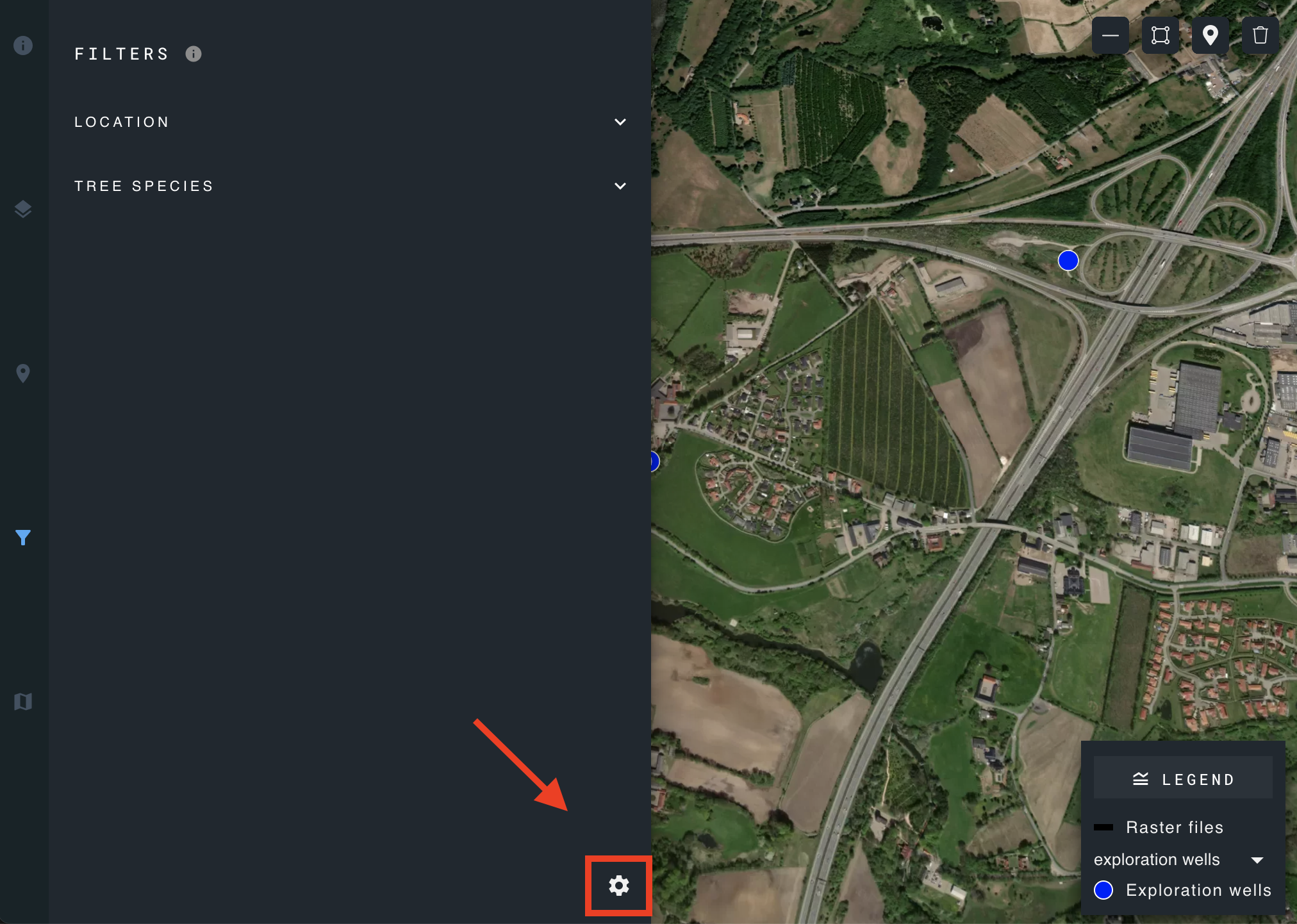
To create a new filter, click the "settings" icon on the bottom right of the filters panel.
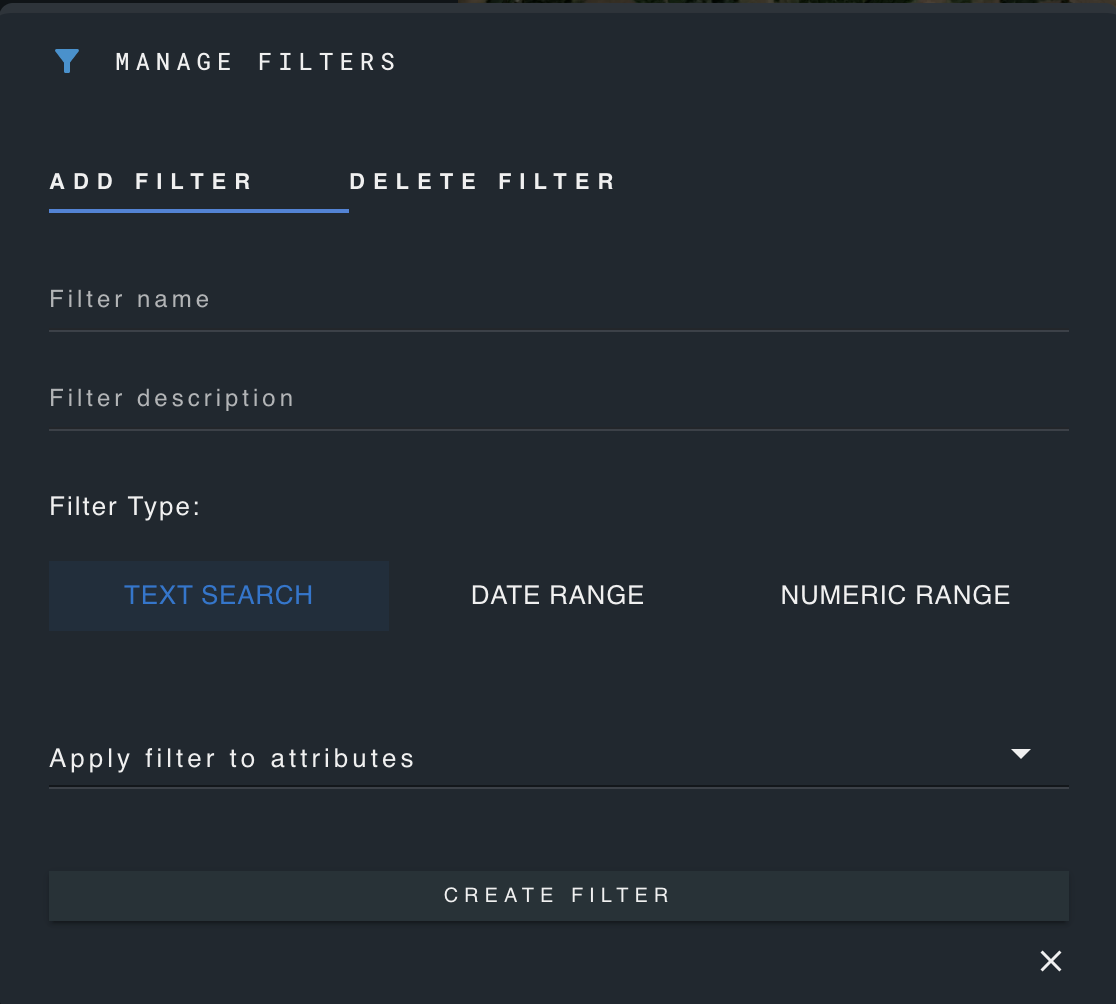
Enter a name and description for the filter, select a filter type, and select the attribute which the filter will be applied to.
Delete a filter
These features are only available for users with admin or edit permissions.
Click the "manage filters" icon in the lower right corner of the filters panel.
Click "delete".
Select the desired filter and confirm deletion.
Using filters
Regular users may apply the filters created by admin users.
To use an existing text filter, choose the desired value from the drop-down menu. Any features whose respective attribute does not have this value will be hidden.
For numeric or date range filters, select the mathematical operator which represents your desired filter condition, input the corresponding value, and then click the icon on the right to apply the filter.
