Serverless Compute Tasks
After using the Strato Workflow's bash script to create a repository, adding your algorithm and merging to the main branch (or a branch starting with "STRAT"), your Dockerized data processing algorithms will be available in the Strato Workflows dashboard.
You may now create a new serverless compute task, which may then be inserted as a state in a workflow.
Build a New State
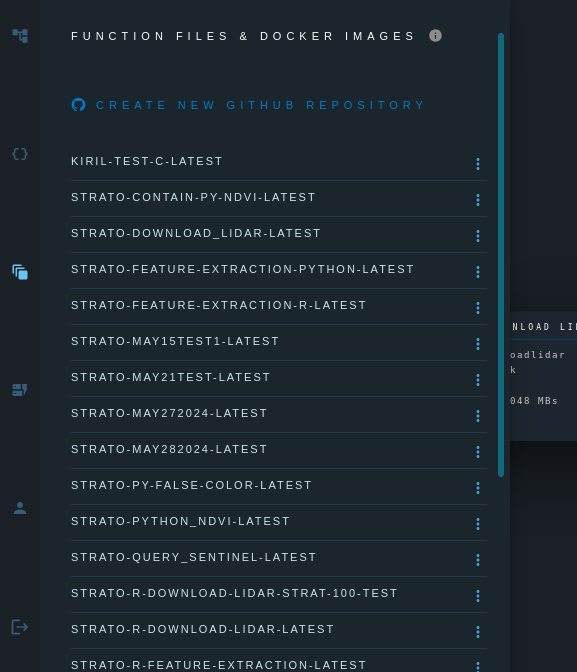
Click on the Images and Functions tab to view the available Docker images and function files.
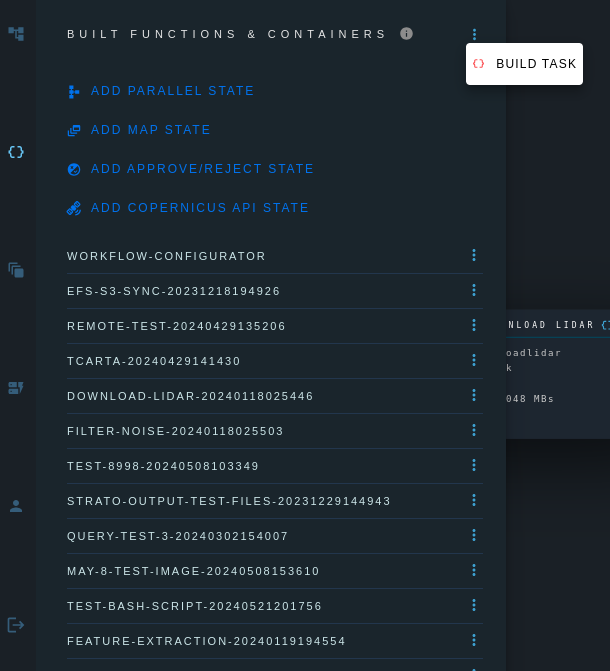
Click on the Built Tasks tab, and then the menu button, and select Build Task.
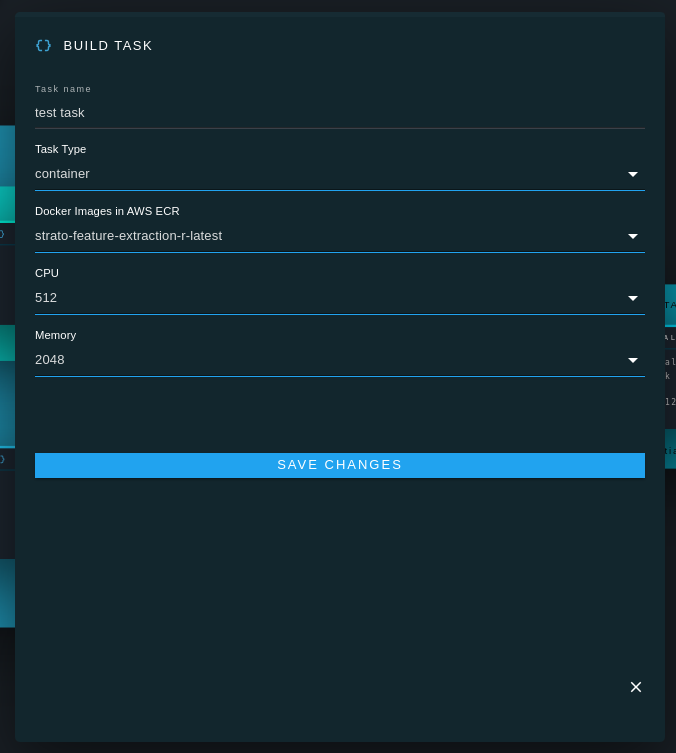
Use the drop-down menu to specify whether you would like to build a function or a container.
Select the desired Github branch or tab for the function/container.
Select the desired amount of RAM and CPU for the function/container.
Save the changes.
It the serverless function or container will generally be created in the cloud within a minute.
When the function or container is ready, it will appear in the Built States tab.
The function or container is now ready to be inserted in a workflow.